




Valid till
Hrs
Mins
Secs
Valid till
Hrs
Mins
Secs
+91 95096 24545 (New Support Number)

Boost Customer Engagement by 3X with Whatsapp API Marketing

Our Clients

Trusted by Businesses Across Industries

What is WhatsApp API Marketing?

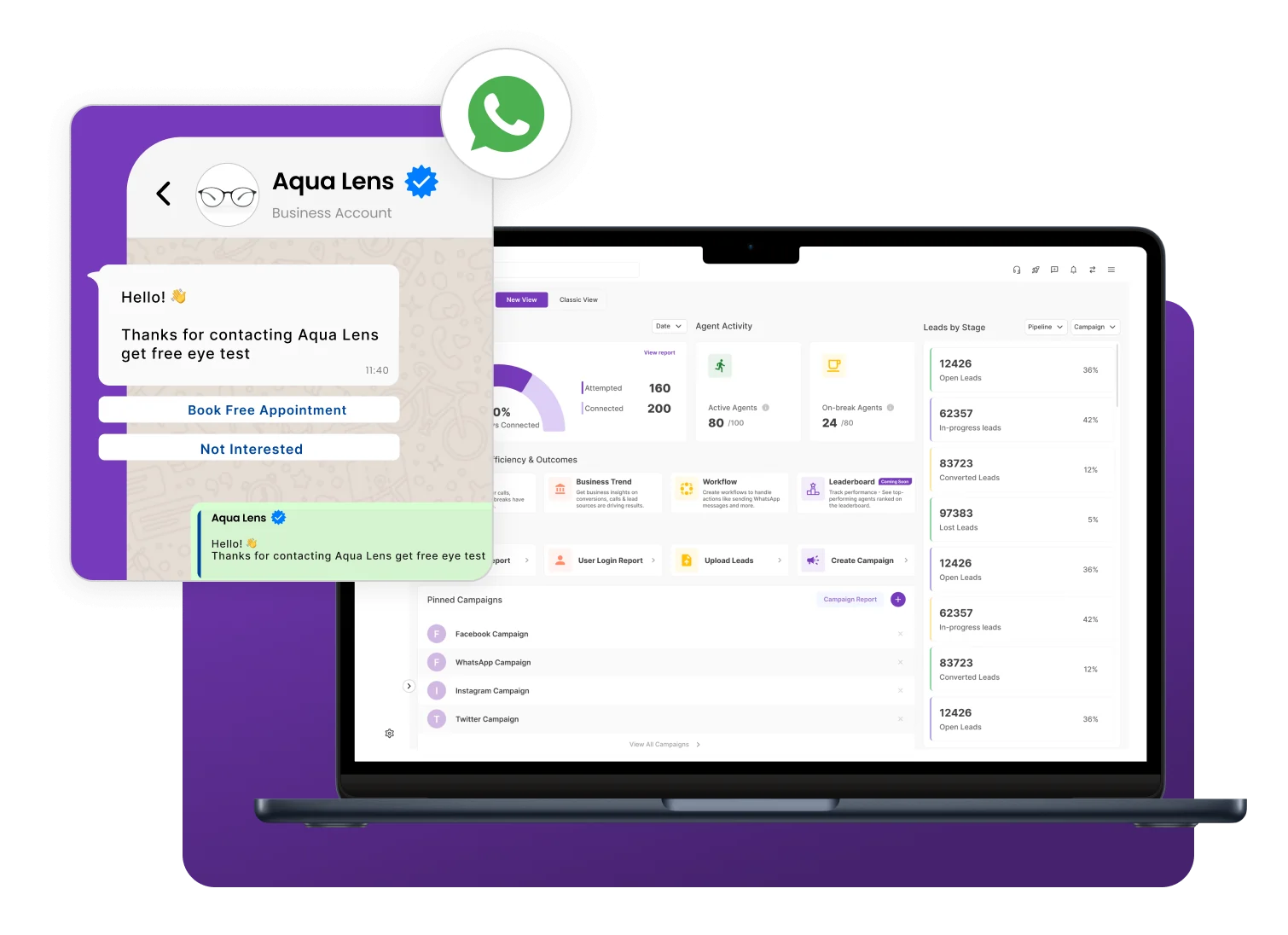
WhatsApp Marketing API helps businesses run marketing campaigns and engage customers through automated messages, broadcasts, and personalized communication. It enables businesses to share promotional offers, updates, and important announcements at scale while managing customer interactions efficiently through a CRM Software.

By integrating with a CRM system, the WhatsApp Marketing API allows businesses to manage conversations, track customer responses, and streamline campaign performance from a single platform. This helps improve customer engagement, boost response rates, and enhance overall communication efficiency.

Why Do Businesses Need WhatsApp API Marketing?

Businesses need WhatsApp API Marketing to reach customers instantly on a platform they actively use for daily communication. It allows companies to send campaign updates, promotional messages, and follow-ups quickly, helping teams maintain faster and more direct communication with their audience.

With WhatsApp API Marketing, businesses can scale marketing campaigns and manage large volumes of customer conversations efficiently. This helps improve response rates, maintain consistent communication, and support marketing activities through organized messaging workflows.

NeoDove WhatsApp API Marketing

Boost customer communication, optimize your support and skyrocket your business success!

Powerful WhatsApp Marketing for Campaigns and Automation

Simplify WhatsApp API Marketing with automation, campaign messaging, and real-time tracking to improve communication and performance.

WhatsApp Chatbots

Use WhatsApp chatbots powered by the WhatsApp Business API to automatically respond to customer inquiries and guide conversations.

💬 “WhatsApp chatbots helped our team manage customer conversations more efficiently.

— by Customer Support Lead

Automated Messages

Automate WhatsApp messaging workflows to send timely responses, follow-ups, and campaign messages using the WhatsApp Business API.

💬 “Automation helped us manage customer communication with less manual effort.

— by Marketing Manager

Bulk WhatsApp Messages

Send bulk WhatsApp messages and promotional campaigns to large groups of customers through WhatsApp.

💬 “Bulk WhatsApp messages helped us reach customers quickly during promotional campaigns.

— by Growth Manager

WhatsApp Campaign Tracking

Track the performance of WhatsApp API Marketing campaigns and monitor customer responses effectively.

💬 “Campaign tracking helped our team understand customer responses and improve messaging strategies.

 — by Sales Manager

Boost Customer Engagement with WhatsApp API Marketing

Automate conversations, run bulk campaigns, and manage customer responses from one platform.

How WhatsApp API Marketing Works

1

Connect WhatsApp API

2

Create Campaign Templates

3

Launch Bulk Campaigns

4

Capture Customer Responses

5

Manage Conversations and Follow-Ups

Connect WhatsApp API

Set up and connect the WhatsApp Business API with your CRM to begin campaign messaging.

  • API Setup
  • Account Integration
  • Business Verification
  1. Integrate the WhatsApp Business API with the CRM
  2. Verify your business account for messaging access
  3. Configure messaging permissions and settings

Connecting the WhatsApp API enables businesses to start WhatsApp marketing campaigns.

Create Campaign Templates

Design approved WhatsApp message templates to ensure consistent and compliant campaign content.

  • Message Templates
  • Campaign Setup
  • Content Creation
  1. Create approved WhatsApp Business API message templates
  2. Design promotional messages and campaign updates
  3. Prepare campaign content for targeted messaging

Templates help businesses send consistent and compliant campaign messages.

Launch Bulk Campaigns

Send bulk WhatsApp messages to targeted audiences and deliver campaign content instantly.

  • Bulk Messaging
  • Campaign Delivery
  • Customer Outreach
  1. Send bulk WhatsApp messages to targeted audiences
  2. Deliver promotional offers, updates, and announcements
  3. Reach customers instantly through campaign broadcasts

Campaign delivery helps businesses communicate with customers quickly.

Capture Customer Responses

Collect customer replies from WhatsApp campaigns and convert them into CRM leads automatically.

  • Customer Replies
  • Lead Capture
  • Conversation Tracking
  1. Receive responses from customers directly on WhatsApp API
  2. Set Capture inquiries and convert them into CRM leads
  3. Track customer conversations and engagement activity using Facebook integrations and other connected platforms.

Customer responses help businesses identify potential opportunities.

Manage Conversations and Follow-Ups

Continue conversations and send follow-up messages to maintain engagement after campaigns.

  • Chat Management
  • Follow-Ups
  • Customer Communication
  1. Continue conversations with customers directly from the CRM
  2. Send follow-up messages based on WhatsApp API Marketing campaign responses
  3. Maintain organized communication records

Call Managing conversations ensures better campaign engagement and customer communication.

Top benefits of WhatsApp API Marketing

Greater Business Reach

WhatsApp API Marketing allows teams to reach a wider audience through campaign messaging, helping businesses connect with more prospects and customers efficiently.

Enhanced Customer Support

Teams can respond to customer inquiries directly through WhatsApp Business API conversations, improving communication and helping businesses provide better customer support.

Better Lead Opportunities

Customer responses from WhatsApp campaigns can be captured and managed easily, helping teams identify potential leads and follow up with them effectively.

Reduced Manual Messaging Work

Automation features help teams send bulk WhatsApp messages and follow-ups without repetitive manual effort, improving productivity when integrated with sales CRM software.

Build Stronger Customer Relationships Through WhatsApp

Manage messaging, responses, and engagement without switching tools.

Use Cases by Industry

Manufacturing Companies

Manufacturing businesses use WhatsApp API Marketing to share product updates, promotional campaigns, and communicate with distributors or customers.

Automobile Dealerships

Automobile Dealerships use WhatsApp API campaigns to promote vehicle offers, share new model updates, and follow up with interested buyers.

Insurance

Insurance companies use WhatsApp Business API messaging to share policy updates, campaign promotions, and communicate with customers about services.

Travel Agencies

Travel agencies use WhatsApp API Marketing campaigns to promote travel packages, share offers, and communicate with customers about bookings.

We take pride in our success

40k+

Users

97%

Increased Efficiency

1000+

Easy Integration

50+

Industries Served

4.4/5

Avg User rating

100%

Data secure

Frequently Asked Questions

How does NeoDove's WhatsApp Business API help automate customer communication?

NeoDove’s WhatsApp Business API helps businesses automate customer communication by sending welcome messages, follow-ups, reminders, promotional campaigns, and important updates automatically. Teams can manage conversations, track customer responses, and maintain timely engagement from a single platform, reducing manual effort and improving customer interactions.

WhatsApp API Marketing enables businesses to send bulk messages, promotional campaigns, product updates, and important notifications to multiple customers at scale. It helps teams manage campaign communication, track responses, and organize customer conversations from a single platform.

No. A phone number registered with WhatsApp Business API cannot be used simultaneously with the WhatsApp Business App. To activate WhatsApp Business API on an existing number, the WhatsApp Business App account associated with that number must first be removed.

WhatsApp Chatbots can be integrated with WhatsApp API Marketing platforms to automate customer interactions, answer common queries, capture lead information, and provide instant responses. This helps businesses improve customer engagement while reducing manual effort.

Bulk WhatsApp messaging can typically begin once the required setup process, account verification, and approval procedures are completed. The exact timeline may vary depending on approval requirements and configuration status.

Ready to Boost Your Customer Interactions with Whatsapp API Marketing?

Trusted by businesses to run WhatsApp API campaigns, automate messaging, and manage customer conversations from one place.

Tired of Wasting Time Dialing?

Boost your telecalling efficiency with NeoDove’s Autodialer. Act now and discover what you’re missing out on!
Request Demo l Exit Intent Pop Up Elementor l October 2024

By submitting this form, I give my consent to receive message/email/whatsapp/calls and updates to my number or email address

Call Smarter,
Close Faster!

100% Lead Capture, 75% More Efficiency, 2X Engagement!

Call Smarter, Close Faster! Form

By submitting this form, I give my consent to receive message/email/whatsapp and updates to my number or email address

Still using Excel sheets Switch to NeoDove

95% business who use NeoDove report 3x more profits!

50,000 +

Happy Customers

4.8

107k reviews

Request Demo l new popup still l june 2024

By submitting this form, I give my consent to receive message/email/whatsapp/calls and updates to my number or email address

Are you Still using Excel sheets for Manual Telecalling?

These outcomes and beyond can be yours.

0%

Lead Leakage

200%

Increase in call attempts

3x

More Engagement

    Request Demo

    By submitting this form, I give my consent to receive message/email/whatsapp and updates to my number or email address

    Popup - Request Demo l Home Page Auto Load Form l May 2024

    By submitting this form, I give my consent to receive message/email/whatsapp/calls and updates to my number or email address