




Valid till
Hrs
Mins
Secs
Valid till
Hrs
Mins
Secs
+91 95096 24545 (New Support Number)

Team Management Tool with Real-Time Visibility

Our Clients

Trusted by Businesses Across Industries

What is Team Management?

Team management is the process of organizing, guiding, and monitoring team activities to improve performance and productivity. It helps managers stay aware of daily progress, maintain clear visibility, and make informed decisions without constant manual follow-ups.

Effective team management ensures tasks and interactions are handled efficiently, improving overall performance and accountability across the team.

Why Do Businesses Need a Team Management Tool?

A team management tool brings structure and clarity to everyday work by organizing information, tracking project management progress, and defining clear responsibilities for every team member. With better visibility into tasks and milestones, managers can improve time management, reduce delays, and keep teams focused on meaningful outcomes.

By bringing structure to daily workflows, a team management tool helps teams stay aligned, improves coordination, and strengthens accountability. Clear access to information allows managers to guide performance confidently while maintaining consistent progress across ongoing activities.

How to Add and Edit Users in NeoDove

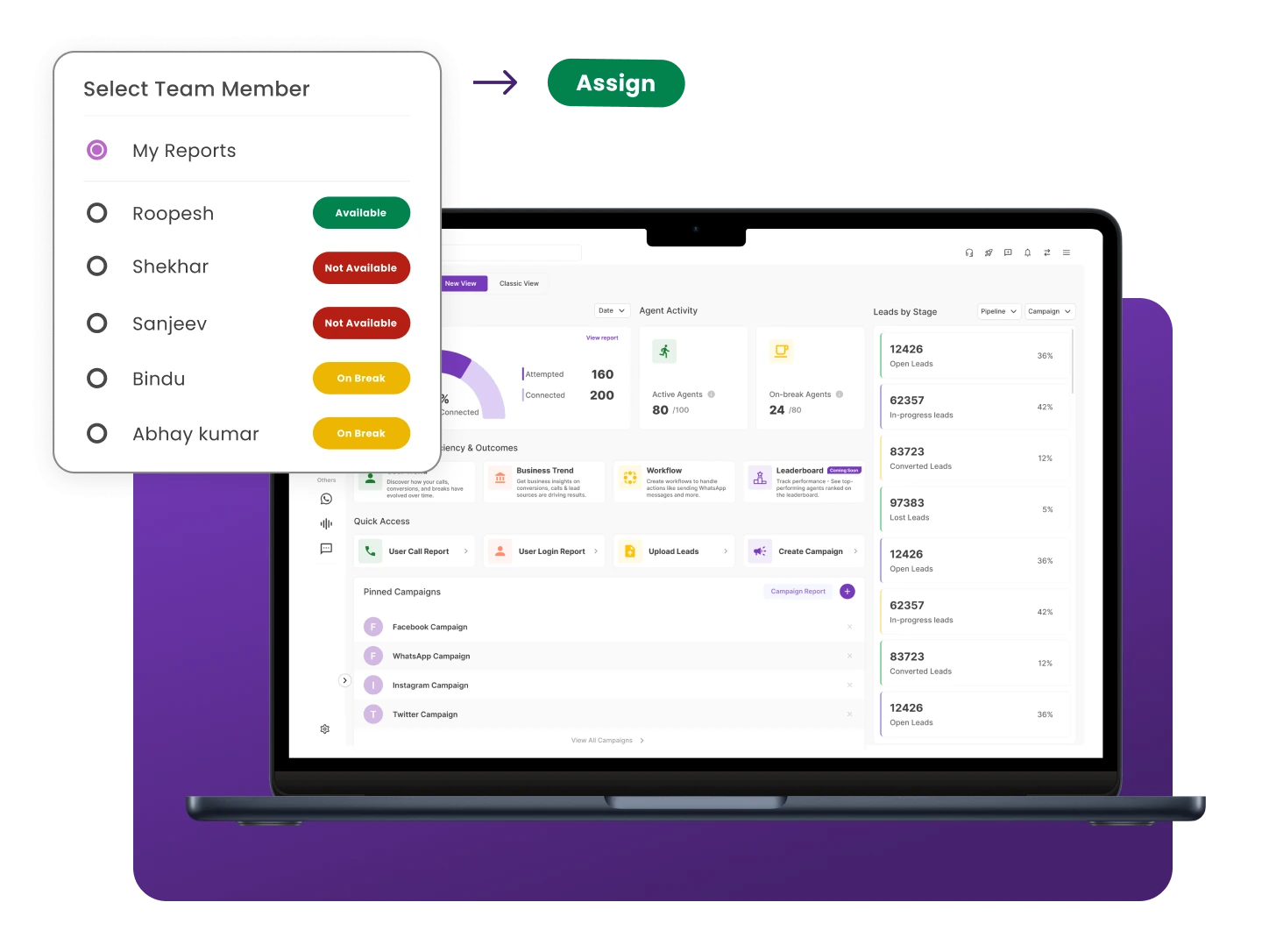
With NeoDove, better track and organize your team’s tasks and build that efficient team you always wanted.

Smarter Team Management & Performance Insights

Track performance, assign leads smarter, and give managers real-time visibility to guide teams with confidence.

Performance Analytics

Make decisions using real telecalling data and clear performance insights.

💬 “Performance analytics helped us understand exactly where our team was losing leads.”

– by Sales Manager

Manager Dashboard & Visibility

Get complete team visibility through a single real-time dashboard.

💬 “The manager dashboard feels like a control center . I don’t need to ask for updates anymore.”

– by Team Lead

Task Assignment

Automatically assign tasks to ensure every action is handled without delays.

💬 “Task assignment helped our team stay organized and complete actions on time.”

– by Operations Head

Daily Productivity Tracking

Track how telecallers spend their time and improve team efficiency.

💬 “Daily tracking made our team more accountable without micromanaging.”

– by Sales Supervisor

Team Comparison

Compare agent performance to identify strengths and improve results.

💬 “Team comparison reports helped us reward top performers and improve weaker areas.”

– by Business Owner

Manage Your Team with Complete Visibility and Control

Get real-time visibility into activities, productivity, and performance across your entire team.

Step-by-Step Team Management Workflow

1

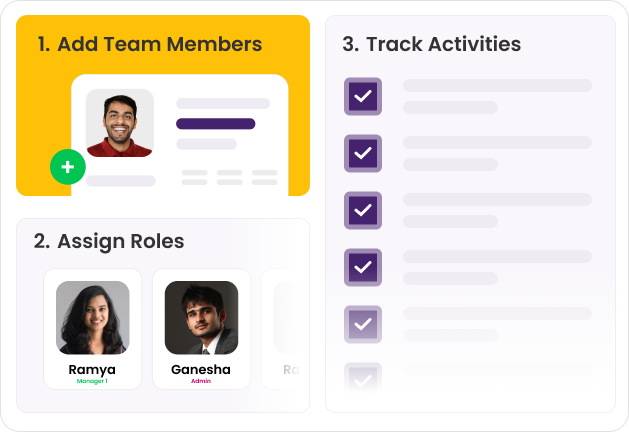
Set Up Your Team

2

Assign Leads & Tasks

3

Track Calls & Activities

4

Manage Follow-Ups & Time

5

Review Team Performance

Set Up Your Team

Create a clear structure for managing telecalling teams

  • User Setup
  • Role Definition
  • Access Control
  1. Add team members and create user accounts from the admin panel
  2. Define roles and permissions for managers and telecallers
  3. Organize the team structure so responsibilities are clearly defined

Structured team setup helps managers coordinate work efficiently.

Assign Leads & Tasks

Distribute work across team members

  • Lead Assignment
  • Task Allocation
  • Work Ownership
  1. Assign leads to telecallers individually or in bulk
  2. Allocate tasks and follow-ups to ensure every lead is handled
  3. Improve distribution with lead management software

Clear lead ownership helps teams handle opportunities without confusion.

Track Calls & Activities

Monitor daily work and team activity

  • Call Tracking
  • Activity Monitoring
  • Progress Updates
  1. Track calls, follow-ups, and lead updates from the system
  2. Monitor team activity without relying on manual status updates
  3. View interaction history and progress for each lead

Activity tracking helps managers stay informed about team performance.

Manage Follow-Ups & Time

Ensure timely communication with leads

  • Follow-Up Scheduling
  • Reminder Alerts
  • Daily Task Planning
  1. Schedule follow-ups for leads directly from the Telecalling CRM platform
  2. Set reminders so telecallers never miss important calls
  3. Help agents manage daily calling tasks and follow-up activities

Timely follow-ups improve response consistency and lead engagement.

Review Team Performance

Measure productivity and improve results

  • Performance Reports
  • Call Analytics
  • Team Insights
  1. Access reports to monitor team performance and activity levels
  2. Track call outcomes, follow-up completion, and lead handling
  3. Use detailed insights from sales reports and analytics

Performance insights help managers continuously improve team efficiency.

Benefits of Using Team Management Tool

Employee Satisfaction

Clear roles and structured team management help employees understand expectations better, creating a more confident and supportive work environment.

Productivity Booster

Well-organized workflows improve focus and help teams manage their work more efficiently, supporting real-time management without unnecessary delays.

Supports Remote Teams

A centralized team management tool gives managers better visibility and helps remote teams stay aligned, updated, and connected.

Encouraging Innovation

When daily work stays organized, teams gain the freedom to explore new ideas, improve processes, and collaborate more creatively.

Turn Team Activity into Team Performance

Monitor productivity, improve accountability, and help every agent perform at their best.

Use Cases by Industry

Sales & Marketing

Streamline lead distribution, monitor progress, and keep teams aligned with structured workflow feature for consistent tracking

Customer Support

Improve response time by organizing conversations, tracking activities, and maintaining a clear view of ongoing interactions.

E-commerce & Retail

Manage telecalling teams handling order inquiries and follow-ups. Assign leads, track call activities, and monitor team performance.

SMBs & Startups

Organize teams with a clear role setup, lead assignments, and activity tracking while integrating tools easily using CRM integration.

We take pride in our success

40k+

Users

97%

Increased Efficiency

1000+

Easy Integration

50+

Industries Served

4.4/5

Avg User rating

100%

Data secure

Frequently Asked Questions

Why is a team management tool important?

Using a team monitoring tool, you can measure your team’s productivity, track working hours and breaks, assess performance, etc. Such a tool helps you keep your team on track.

The manager dashboard provides a real-time overview of all team activities, including active calls, pending follow-ups, lead status, and agent availability. It eliminates the need for manual status updates.

With NeoDove, you can easily manage your telecallers no matter where they work from. You can view their performance metrics in real-time.

Every telecaller can view their individual performance metrics in NeoDove CRM and track the number of breaks they have taken.

Ready to Transform Your Team Management?

Join thousands of businesses that use our platform to drive team performance and achieve real-time visibility.

Tired of Wasting Time Dialing?

Boost your telecalling efficiency with NeoDove’s Autodialer. Act now and discover what you’re missing out on!
Request Demo l Exit Intent Pop Up Elementor l October 2024

By submitting this form, I give my consent to receive message/email/whatsapp/calls and updates to my number or email address

Call Smarter,
Close Faster!

100% Lead Capture, 75% More Efficiency, 2X Engagement!

Call Smarter, Close Faster! Form

By submitting this form, I give my consent to receive message/email/whatsapp and updates to my number or email address

Still using Excel sheets Switch to NeoDove

95% business who use NeoDove report 3x more profits!

50,000 +

Happy Customers

4.8

107k reviews

Request Demo l new popup still l june 2024

By submitting this form, I give my consent to receive message/email/whatsapp/calls and updates to my number or email address

Are you Still using Excel sheets for Manual Telecalling?

These outcomes and beyond can be yours.

0%

Lead Leakage

200%

Increase in call attempts

3x

More Engagement

    Request Demo

    By submitting this form, I give my consent to receive message/email/whatsapp and updates to my number or email address

    Popup - Request Demo l Home Page Auto Load Form l May 2024

    By submitting this form, I give my consent to receive message/email/whatsapp/calls and updates to my number or email address