




Valid till
Hrs
Mins
Secs
Valid till
Hrs
Mins
Secs
+91 95096 24545 (New Support Number)

CRM Reporting Tool for Decision Making

Our Clients

Trusted by Businesses Across Industries

What is CRM Reporting?

CRM reporting is an analytics feature within NeoDove CRM software that transforms daily business activities into clear, real-time insights. It brings together data from leads, campaigns, customer interactions, and team performance into automated dashboards and detailed reports – helping businesses monitor progress, measure performance, and make smarter decisions with ease.

By turning raw telecalling data into clear performance intelligence, it brings structure and clarity to daily sales operations.

Why Businesses Need a CRM Reporting Tool?

Telecalling operations generate constant activity across leads, campaigns, and team performance. A dedicated CRM reporting tool within CRM software brings this data into structured reporting dashboards — helping managers track execution, analyze campaign analytics, and maintain operational clarity without manual tracking.

By centralizing sales performance insights and automated dashboards into one reporting system, businesses gain stronger control over lead progress, performance trends, and decision-making workflows. This enables teams to act on accurate data, improve execution consistency, and drive data-driven decisions through a unified telecalling CRM reporting layer.

Replace Excel Sheets with Smart Telecalling

Get complete visibility into your business performance with real-time data, automated reports, and actionable insights that help teams make faster, smarter decisions.

Advanced Reporting and Analytics for Clear Business Insights

Get complete visibility into your business performance with real-time data, automated reports, and actionable insights that help teams make faster, smarter decisions using a powerful CRM reporting tool.

Automated Reporting Dashboards

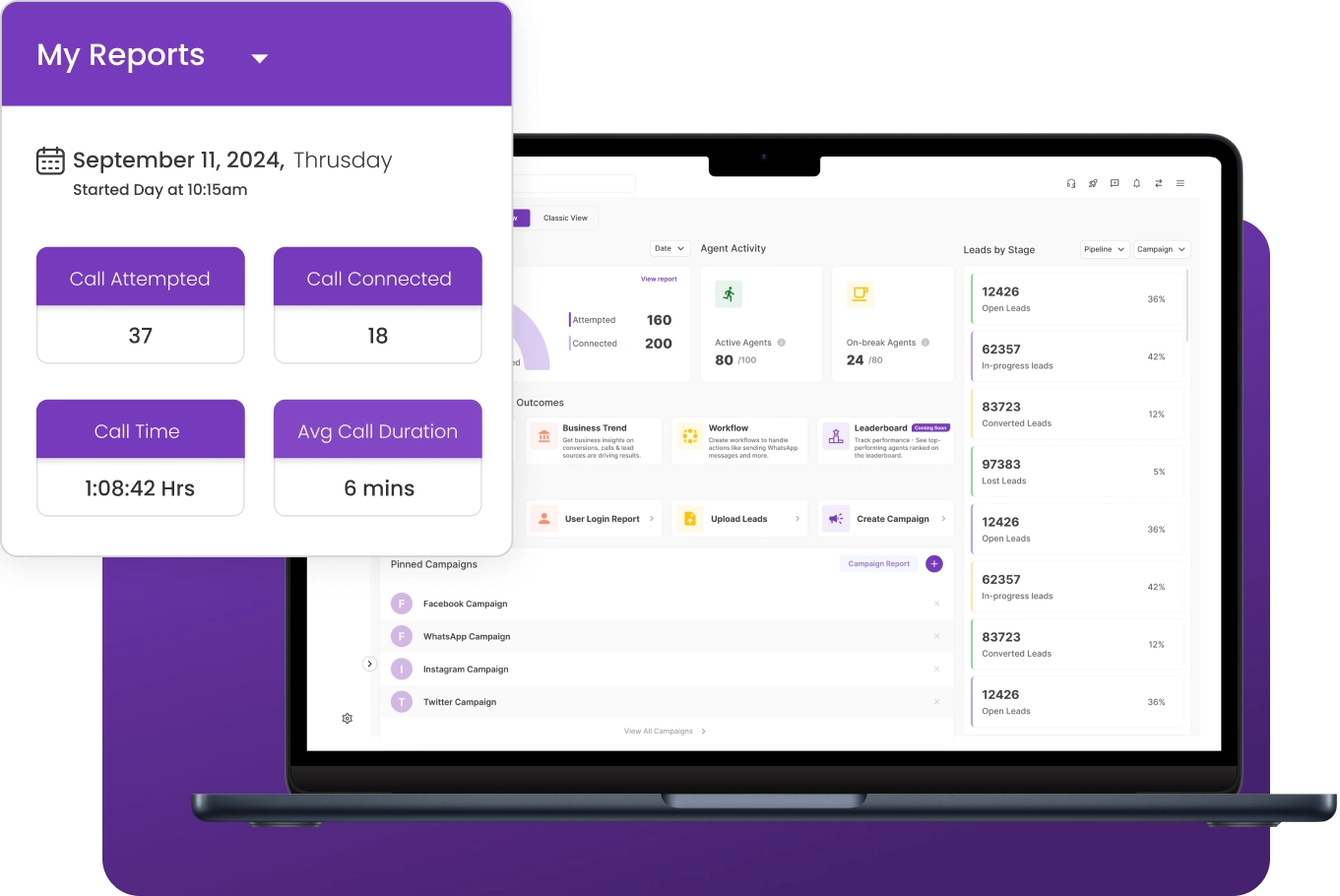
Track leads, campaigns, and team performance from one structured automated dashboard.

💬 “Omnichannel messaging helped our team respond faster and close leads efficiently.

– by Sales Manager

Real-Time Data Updates

Keep automated dashboards updated with live telecalling activity and performance data.

💬 “Live reporting insights helped us identify gaps and improve decision accuracy.”

– by CRM Manager

Custom Filters & Reporting Views

Use flexible filters to focus on relevant CRM reporting performance insights quickly.

💬 “Custom views made performance tracking simpler for our team leads.

– by Sales Supervisor

Downloadable Reports

Export telecalling CRM reporting results easily to review and share insights across teams.

💬 “Exportable reports simplified internal reviews and improved alignment.”

– by Business Operations Manager

Advanced Data Visualization

View performance trends clearly through charts and automated dashboards.

💬 “Real-time analytics helped us identify performance gaps instantly.”

 – by CRM Manager

Turn Telecalling Data into Business Growth

Monitor performance trends, identify opportunities, and make smarter decisions faster.

NeoDove Reports Section

Key Report Types in NeoDove

Detailed reports designed to give complete visibility into leads, users, and campaign performance.

Lead & Follow-Up Reports

2x faster follow-ups

→

User Performance Reports

93% visibility gain

→

Campaign Performance Reports

360° campaign view

→

Team Activity & Login Reports

100% accountability

→
2x
FASTER FOLLOW-UPS

Lead & Follow-Up Reports

Track lead status, follow-up progress, and missed opportunities to ensure no lead slips through the cracks.

How CRM reporting works

1

Data Collection

2

Data Processing

3

Report Generation

4

Interpretation & Action

Data Collection

Capture all call activity, lead updates, and team interactions automatically into the CRM.

  • Call Tracking
  • Lead Updates
  • Activity Records
  1. Capture call activity, lead updates, and follow-ups automatically in the CRM software
  2. Record telecaller interactions and campaign activity in one system
  3. Maintain accurate operational data for telecalling CRM reporting and performance monitoring

Consistent activity tracking ensures reliable reporting data.

Data Processing

Organize collected activity data into structured metrics ready for reporting and analysis.

  • Performance Metrics
  • Activity Insights
  • Report Data
  1. Organize collected activity data into measurable performance metrics
  2. Structure call activity, lead status, and team performance data
  3. Prepare operational data for automated dashboards and reports

Structured data helps teams understand operational performance clearly.

Report Generation

Generate structured dashboards and reports to monitor team, lead, and campaign performance.

  • Reporting Dashboards
  • Performance Reports
  • Custom Views
  1. Generate automated dashboards to monitor calls, leads, and campaign performance
  2. Access reports for agent activity, lead progress, and follow-ups
  3. View performance data in clear, structured CRM reporting formats

Clear reports help managers track team performance easily.

Interpretation & Action

Use reporting insights to evaluate team performance and guide operational decisions.

  • Performance Review
  • Manager Insights
  • Operational Decisions
  1. Managers review telecalling CRM reporting data to evaluate team productivity and activity levels
  2. Identify areas where follow-ups or lead handling need improvement
  3. Use Use CRM reporting tool insights to guide team operations and campaign performance

Reporting insights support better operational decisions.

Top Benefits of CRM Reporting Tool

Data Driven Decisions

Turn CRM reporting insights into confident actions by tracking sales performance, campaign outcomes, and real activity data in one clear view.

Sales & Marketing Performance

Monitor conversions, track revenue drivers, and measure team performance with automated dashboards. Sales managers can improve accountability through effective sales management practices.

Customer Insights

Understand customer behavior and interaction patterns through telecalling CRM reporting views that support smarter targeting and engagement.

Operational Accountability

Monitor team performance, identify bottlenecks, and track leads and campaigns with CRM reporting. Teams using a dialer for call center can analyze call outcomes and improve agent productivity.

Great Decisions Start with Clear Visibility

Track leads, campaigns, and team performance with real-time reporting and actionable insights.

Use Cases by Industry

Banking & Financial Services

Track follow-ups, customer interactions, and sales activities with telecalling CRM reporting. Financial teams use reporting insights to manage customer follow-ups and maintain visibility.

Insurance

Analyze inquiry handling, evaluate agent performance, and maintain clear visibility into policy-related conversations.

Automotive & Dealerships

Monitor test-drive inquiries, track lead progress, and measure team performance with sales CRM software designed for high-volume telecalling teams.

Healthcare

Track appointment inquiries, monitor call outcomes, and maintain clear CRM reporting visibility across patient interactions.

We take pride in our success

40k+

Users

97%

Increased Efficiency

1000+

Easy Integration

50+

Industries Served

4.4/5

Avg User rating

100%

Data secure

Frequently Asked Questions

What is CRM reporting in NeoDove?

CRM reporting consolidates lead, call, user, and campaign data in one place so you can analyze performance, forecast trends, and optimize strategies using a dedicated CRM reporting tool.

Yes. NeoDove provides detailed telecalling CRM reporting to track call history, outcomes, dispositions, and team productivity. Managers can monitor performance in real time and improve efficiency using data-driven insights and sim-based telecalling strategies.

CRM reporting provides insights into team performance and call metrics. It helps managers identify gaps, optimize processes, and make informed decisions to boost productivity. The CRM dialer feature works alongside reporting to give teams a complete view of call activity and performance in one place

Yes — NeoDove telecalling CRM reporting dashboards refresh automatically, showing live performance metrics across teams and campaigns.

Ready to Boost Your Business Decisions with CRM Reporting?

Join thousands of businesses that use our CRM reporting tool to drive smarter decisions with real-time telecalling CRM reporting, performance insights, and actionable data.

Tired of Wasting Time Dialing?

Boost your telecalling efficiency with NeoDove’s Autodialer. Act now and discover what you’re missing out on!
Request Demo l Exit Intent Pop Up Elementor l October 2024

By submitting this form, I give my consent to receive message/email/whatsapp/calls and updates to my number or email address

Call Smarter,
Close Faster!

100% Lead Capture, 75% More Efficiency, 2X Engagement!

Call Smarter, Close Faster! Form

By submitting this form, I give my consent to receive message/email/whatsapp and updates to my number or email address

Still using Excel sheets Switch to NeoDove

95% business who use NeoDove report 3x more profits!

50,000 +

Happy Customers

4.8

107k reviews

Request Demo l new popup still l june 2024

By submitting this form, I give my consent to receive message/email/whatsapp/calls and updates to my number or email address

Are you Still using Excel sheets for Manual Telecalling?

These outcomes and beyond can be yours.

0%

Lead Leakage

200%

Increase in call attempts

3x

More Engagement

    Request Demo

    By submitting this form, I give my consent to receive message/email/whatsapp and updates to my number or email address

    Popup - Request Demo l Home Page Auto Load Form l May 2024

    By submitting this form, I give my consent to receive message/email/whatsapp/calls and updates to my number or email address