



Valid till
Hrs
Mins
Secs
Valid till
Hrs
Mins
Secs
+91 95096 24545 (New Support Number)

Welcome to our WhatsApp Lead Capture Chrome Extension!

Your journey to effortlessly capturing and managing WhatsApp leads starts here. Let’s get you fully set up in just a few simple steps.

Step 1

You Have Successfully Installed the Extension

Great work! With this done, you’re already on your way to streamlining your lead management process.

Step 2

Get Your Endpoint URL

To obtain your Endpoint URL, follow these steps:

1. Navigate to connect.neodove.com.
2. Select Integration.
3. Set up the WhatsApp Lead Capture (chrome extension).
4. Copy & paste the Endpoint URL.

If you encounter any issues, feel free to contact us at +91 95096 24545 for assistance. We’re here to help you through the process.

Step 3

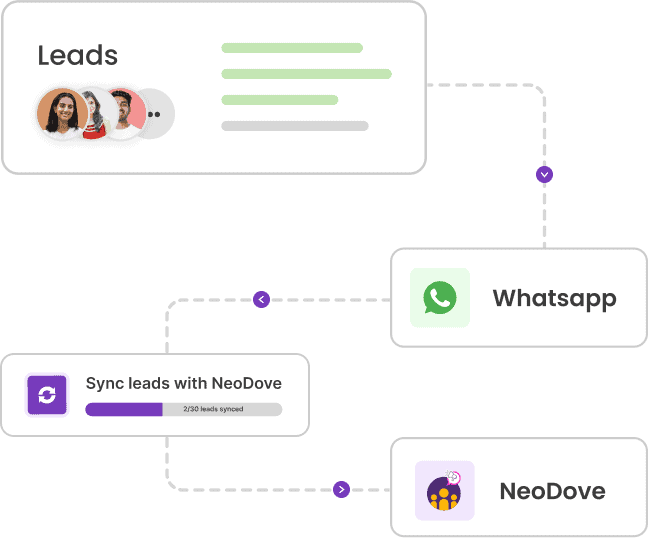
Enable Auto Sync for Hassle-Free Lead Creation

After the Endpoint URL is verified, toggle the Auto Sync option ON. This ensures that all your WhatsApp chats are automatically synchronized in real-time, eliminating the need for manual updates.

Step 4

Manage Your Leads Seamlessly

Your setup is now complete. You can start viewing and managing your WhatsApp leads directly from your NeoDove CRM.

Tired of Wasting Time Dialing?

Boost your telecalling efficiency with NeoDove’s Autodialer. Act now and discover what you’re missing out on!
Request Demo l Exit Intent Pop Up Elementor l October 2024

By submitting this form, I give my consent to receive message/email/whatsapp/calls and updates to my number or email address

Call Smarter,
Close Faster!

100% Lead Capture, 75% More Efficiency, 2X Engagement!

Call Smarter, Close Faster! Form

By submitting this form, I give my consent to receive message/email/whatsapp and updates to my number or email address

Still using Excel sheets Switch to NeoDove

95% business who use NeoDove report 3x more profits!

50,000 +

Happy Customers

4.8

107k reviews

Request Demo l new popup still l june 2024

By submitting this form, I give my consent to receive message/email/whatsapp/calls and updates to my number or email address

Are you Still using Excel sheets for Manual Telecalling?

These outcomes and beyond can be yours.

0%

Lead Leakage

200%

Increase in call attempts

3x

More Engagement

    Request Demo

    By submitting this form, I give my consent to receive message/email/whatsapp and updates to my number or email address

    Popup - Request Demo l Home Page Auto Load Form l May 2024

    By submitting this form, I give my consent to receive message/email/whatsapp/calls and updates to my number or email address