


















Valid till
Hrs
Mins
Secs
Valid till
Hrs
Mins
Secs
+91 95096 24545 (New Support Number)

CRM Integrations to Connect All Your Business Tools in One Place

Our Clients

Trusted by Businesses Across Industries

What is CRM Integration?

CRM integration is the process of connecting a CRM with other business tools so they can share data and work together seamlessly. It allows information from sources such as websites, forms, marketing platforms, and communication tools to flow directly into the CRM without manual entry.

With CRM integration, teams can automatically capture leads, keep customer information updated, and manage interactions more efficiently. This helps businesses streamline workflows, reduce manual effort, and maintain a centralized view of customer data.

Why Businesses Need a CRM Integration?

Businesses often use different tools to manage leads, communication, and customer information. Without CRM integration, data remains scattered across these tools, making it difficult for teams to track interactions and manage customer relationships efficiently.

CRM integration connects these tools with the CRM and brings all important data into one place. This helps teams access updated information, reduce manual data entry, and work more efficiently. As a result, businesses can manage leads better, improve team productivity, and deliver better customer experiences.

Connect NeoDove with Your Favorite Tools

With our centralized platform, effortlessly collect and manage your leads from various sources

Capture and Manage Leads with CRM Integrations

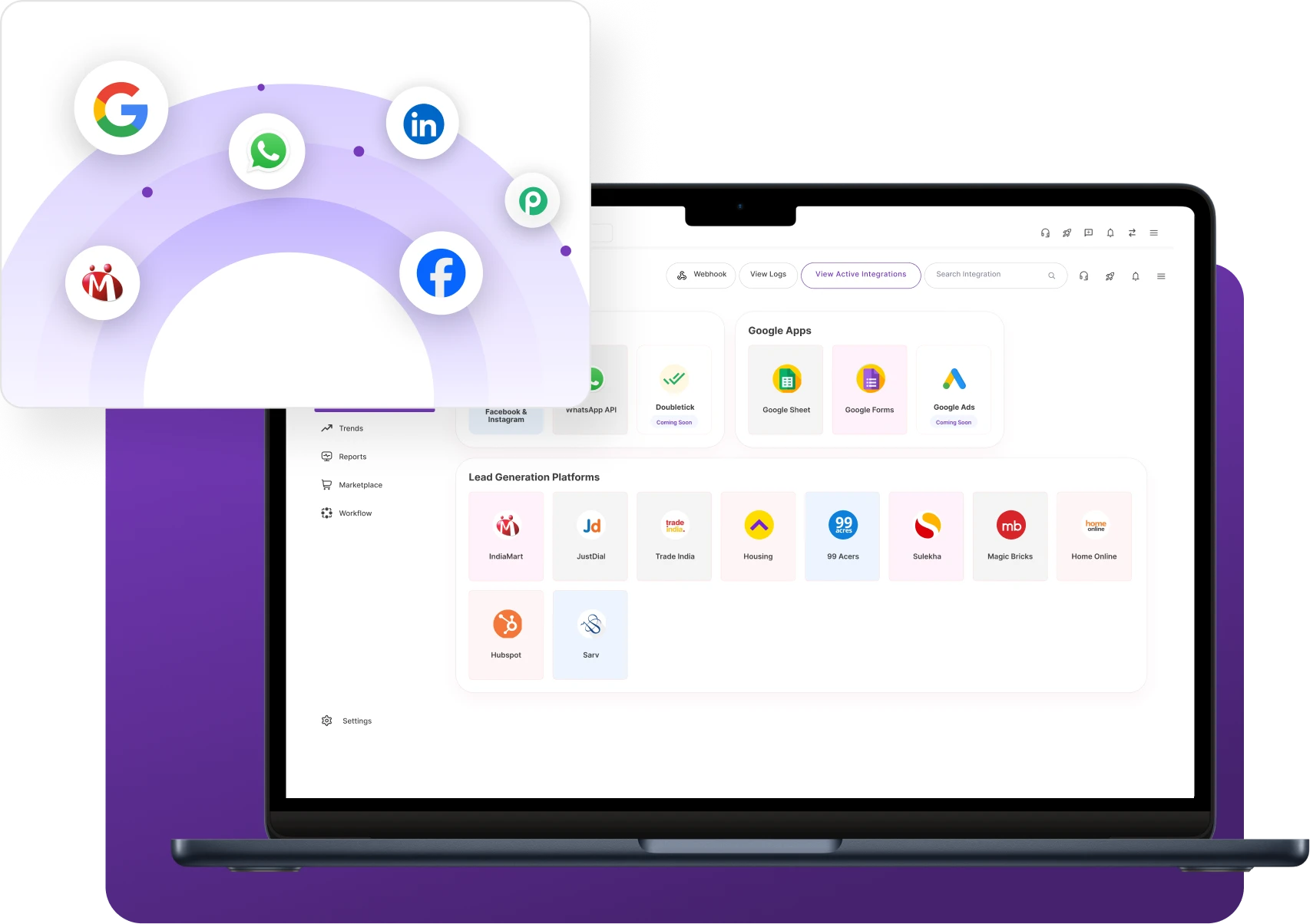
Bring your platforms together with CRM integrations to capture leads automatically and manage them efficiently in one place.

API Integrations

Connect NeoDove with external platforms and internal systems using API integrations to automate data exchange across tools like Zapier, Google Sheets, and ERP systems.

💬 “API integrations helped us connect NeoDove with our internal systems and automate our data workflows.”

 – by Revenue Operations Manager

Marketplace Integrations

Capture inquiries from platforms like IndiaMART, Justdial, and TradeIndia directly into NeoDove for easy marketplace integration lead management.

💬 “Marketplace integrations helped our team manage inquiries from multiple platforms without extra effort.”

– by Business Development Manager

Social Media Integrations

Use social media integrations to capture leads from platforms such as Facebook, Instagram, and LinkedIn, and manage them directly within NeoDove.

💬 “Social media integrations helped us capture and respond to leads much faster.

— by Marketing Manager

Custom Integrations

Connect NeoDove with internal tools and custom applications like dashboards, proprietary systems, and custom-built platforms.

💬 “Custom integrations allowed us to connect NeoDove with our internal tools seamlessly.”

— by Head of Operations

One CRM. Every Lead Source. Zero Manual Work.

Automatically sync leads and customer data across all your business tools.

One CRM for All Your Lead Sources

Hundreds of integrations available and customizable to fit your needs

“What’s most amazing is how proactive and responsive their team is. Highly recommend!”

Sneha Krishnan, MindChamp

How NeoDove CRM Integration Works

1

Connect the Platform

2

Authorize Data Access

3

Map Data Fields

4

Transfer Data Automatically

5

Use Integrated Data in Workflows

Connect the Platform

Select and connect your external platform to the CRM to begin the integration setup.

  • Integration Setup
  • Platform Connection
  • Account Linking
  1. Select the external platform you want to integrate with the CRM
  2. Connect the platform using integration settings or API integrations connection
  3. Link the platform account with the CRM system

This connection allows the CRM and external platform to communicate.

Authorize Data Access

Grant the necessary permissions to enable secure data sharing between connected systems.

  • Secure Authorization
  • Permission Setup
  • Authentication
  1. Authorize the CRM to access data from the connected platform
  2. Grant necessary permissions for data exchange
  3. Ensure secure communication between both systems

Authorization enables safe data sharing between tools.

Map Data Fields

Configure how data should be structured and transferred between the platform and CRM.

  • Field Mapping
  • Data Configuration
  • Integration Settings
  1. Match fields between the external platform and the CRM
  2. Define how lead information should appear in CRM records
  3. Configure how data should be transferred between systems

Field Field mapping ensures the correct data structure inside the CRM.

Transfer Data Automatically

Enable automatic data flow so every lead and interaction is captured in the CRM instantly.

  • Data Transfer
  • Lead Sync
  • Information Flow
  1. Automatically send leads or customer data from the platform to the CRM
  2. Capture inquiries, contact details, and activity data
  3. Reduce manual data entry through automated CRM integration transfer

Automatic transfer ensures every interaction is recorded in the CRM.

Use Integrated Data in Workflows

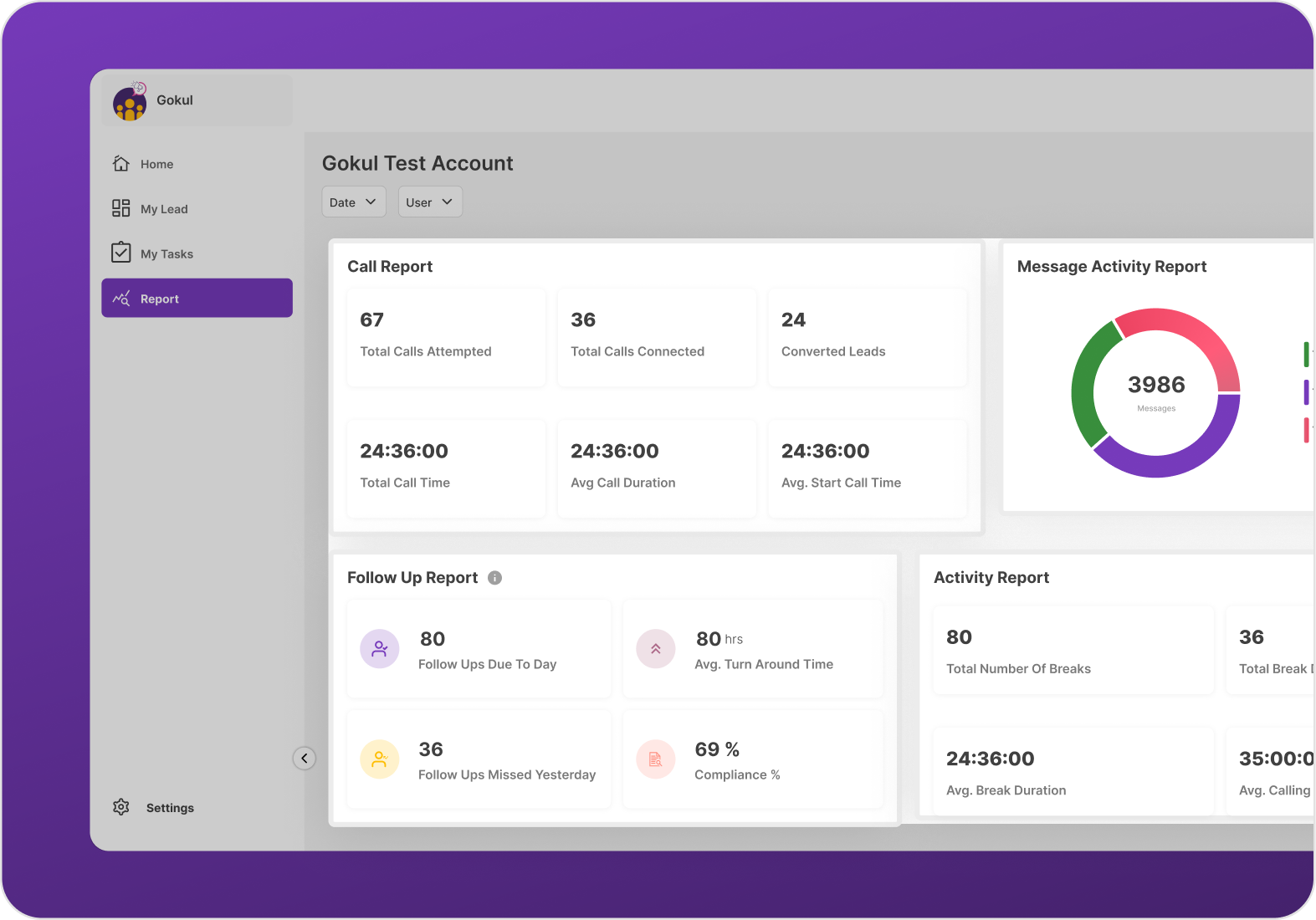
Put captured data to work across sales, telecalling, and customer management workflows.

  • Workflow Execution
  • Team Access
  • Data Utilization
  1. Use Use captured data for sales, telecalling, or customer management
  2. Allow teams to access updated information instantly
  3. Improve business workflows using CRM reporting and insights

Lead Integrated data helps teams manage customers more efficiently.

Key Benefits of NeoDove CRM Integrations

Better Collaboration

CRM integration allows teams to access shared customer data and updates across connected tools, helping different departments work together more efficiently.

Increased Sales

By connecting lead sources and business tools with the CRM, teams can respond to prospects faster and manage sales opportunities more effectively.

Improved Customer Service

With integrated systems, customer information and interaction history become easily accessible, enabling teams to provide quicker and more personalized support.

Higher Team Productivity

Automation and data synchronization reduce manual work, while key features of outbound calling CRM help streamline workflows and improve productivity.

Capture More Leads Without Adding More Work.

Integrate marketplaces, social media, websites, and business applications into one platform.

Use Cases by Industry

Automobile Dealerships

Capture vehicle inquiries from websites and marketing platforms and manage customer follow-ups efficiently.

Financial Services

Connect lead sources and communication tools to organize client data and manage follow-ups effectively.

Small & Medium Businesses (SMBs)

Integrate business tools and lead sources to manage customer interactions and streamline workflows.

Education & Institutes

Capture student inquiries from admission portals and campaigns and manage enrollment follow-ups efficiently.

We take pride in our success

40k+

Users

97%

Increased Efficiency

1000+

Easy Integration

50+

Industries Served

4.4/5

Avg User rating

100%

Data secure

Frequently Asked Questions

What is the purpose of CRM integration?

The purpose of CRM integration is to connect the CRM with other business tools so data can flow automatically between systems. This helps businesses keep customer information updated, reduce manual data entry, and manage leads and interactions more efficiently from one centralized platform.

Organize your workflow with NeoDove. With our workflow software, capture leads from website forms effortlessly and instantly assign them to your sales teams. In this way, you can focus on converting instead of just manual capturing leads.

With popular marketplace integration platforms like IndiaMART, 99acres, MagicBricks, Just Dial, etc. all integrated in one place, you can more easily capture your leads. No more need to juggle one place to another and you never miss a chance to convert a lead into potential customers.

With NeoDove’s social media integration, your business can:

  • Capture leads automatically
  • Manage contact information and lead reports
  • Save valuable time and effort using one-click integration
  • Initiate unlimited social media lead generation campaigns

Ready to Connect All Your Tools with CRM Integrations?

Join thousands of businesses that use our platform to connect tools, automate data flow, and manage operations from one place.

Tired of Wasting Time Dialing?

Boost your telecalling efficiency with NeoDove’s Autodialer. Act now and discover what you’re missing out on!
Request Demo l Exit Intent Pop Up Elementor l October 2024

By submitting this form, I give my consent to receive message/email/whatsapp/calls and updates to my number or email address

Call Smarter,
Close Faster!

100% Lead Capture, 75% More Efficiency, 2X Engagement!

Call Smarter, Close Faster! Form

By submitting this form, I give my consent to receive message/email/whatsapp and updates to my number or email address

Still using Excel sheets Switch to NeoDove

95% business who use NeoDove report 3x more profits!

50,000 +

Happy Customers

4.8

107k reviews

Request Demo l new popup still l june 2024

By submitting this form, I give my consent to receive message/email/whatsapp/calls and updates to my number or email address

Are you Still using Excel sheets for Manual Telecalling?

These outcomes and beyond can be yours.

0%

Lead Leakage

200%

Increase in call attempts

3x

More Engagement

    Request Demo

    By submitting this form, I give my consent to receive message/email/whatsapp and updates to my number or email address

    Popup - Request Demo l Home Page Auto Load Form l May 2024

    By submitting this form, I give my consent to receive message/email/whatsapp/calls and updates to my number or email address